
An importer we spoke with had a shipment of POS tablets sit at “sent to WeBOC” for eleven days before anyone could tell him why. The devices were already PTA type approved. The IMEIs were clean. What had actually gone wrong was a one-digit HS code mismatch between the DIRBS case and the customs GD — something no one checks until the shipment stalls. A PTA CoC rejected or stuck status almost never means the hardware failed compliance. It usually means one field, somewhere between PTA and Customs, doesn’t reconcile.
This is the single most common support request FutureByte hears from commercial importers in Pakistan: a case that was approved on paper is stuck in the portal, and nobody on the supplier or clearing-agent side can explain why in plain terms. The fix is almost always faster than people expect, once the right field is identified.
This guide breaks a PTA CoC rejected or stuck case into three layers — model approval, IMEI identity, and shipment/customs reconciliation — and walks through the eight most common failure points inside each, with what to send when you escalate.
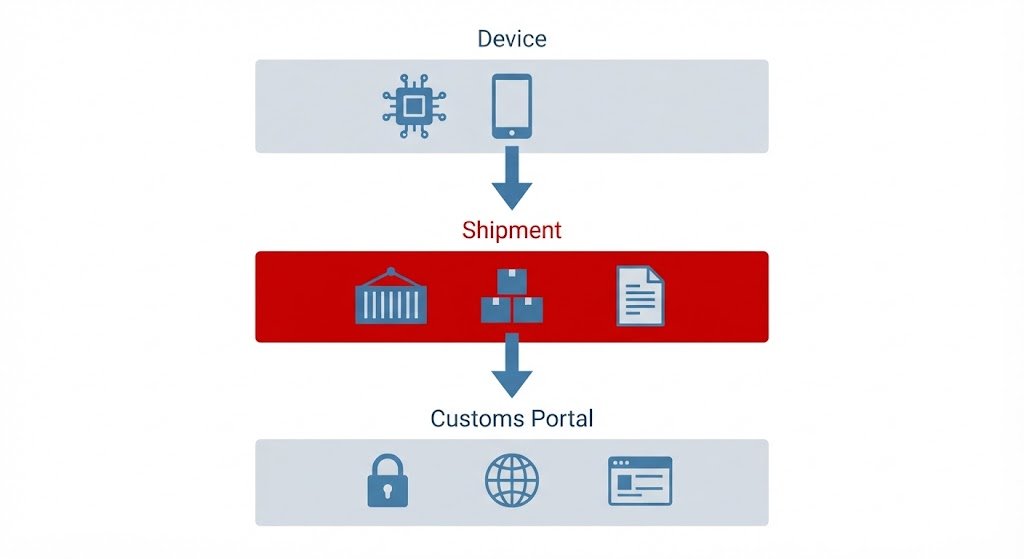
Why a PTA CoC Rejected Status Doesn’t Always Mean the Device Failed
When a commercial CoC case is queried, rejected, or appears stuck, split the diagnosis into three layers before assuming the worst: model approval, IMEI identity, and shipment/customs reconciliation. Most importers jump straight to “is my device even approved,” which wastes time when the real problem is a field mismatch further down the chain.
Where to Start When Your PTA CoC Is Stuck
If you only read one section, read this: pull your tracking ID, HS code, invoice, and AWB/HAWB reference before contacting anyone. Nine times out of ten, a PTA CoC rejected or stuck case traces back to one of the eight problems below, and having these four numbers ready cuts the resolution time from days to hours.
1. Wrong or Inconsistent HS Code
Treat the HS code as a controlled shipment field, not a formality. If the PTA-side case and the FBR customs documentation use inconsistent classifications, the case can become impossible to reconcile automatically. If a rejected record can’t be edited under the current portal workflow, preserve the tracking ID and payment reference and follow the current PTA correction process rather than resubmitting the same error.
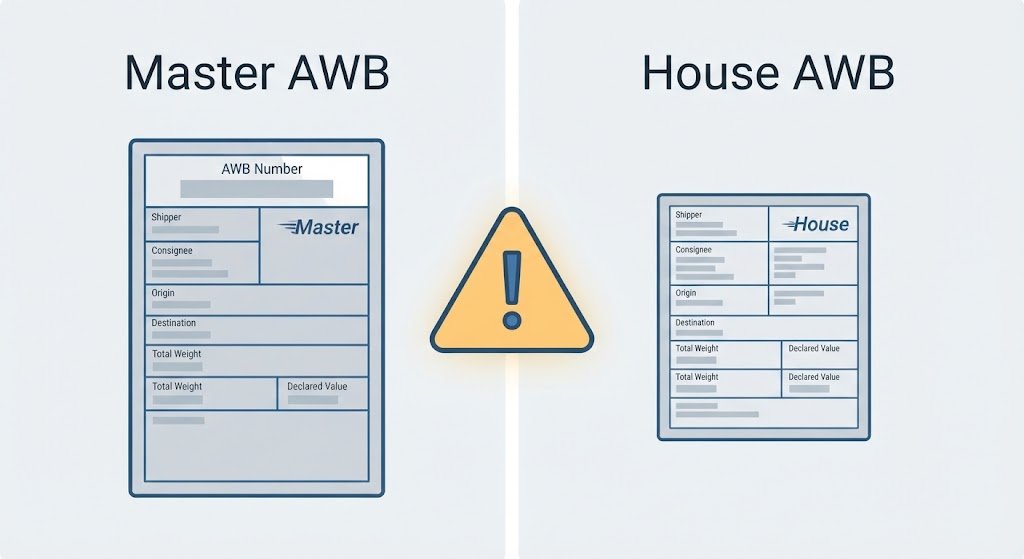
2. AWB, HAWB and GD Mismatch
Freight forwarders often issue both a master AWB and a house AWB. Don’t guess which one Customs is using — ask the clearing agent directly which reference is linked to the GD, and confirm the application traces to the same shipment end to end.
3. “Sent to WeBOC” but the GD Isn’t Moving
This status describes a system handoff, not a finished outcome. When you escalate, hand over the PTA tracking ID, invoice, AWB/HAWB, HS code, intended GD, and a screenshot of the exact WeBOC error. “PTA approved it” is too vague to act on — support needs the specific mismatched field.
4. IMEI/TAC Doesn’t Match the Approved Model
For embedded products — trackers, POS terminals, IoT modules — the commercial product name is often not the identity PTA actually approved. Build the application around the correct approved terminal or module identity, and confirm the submitted TAC and IMEIs correspond to it exactly.
5. Dirty IMEI CSV
Validate the IMEI file like a production data file: strip duplicates, stray spaces, and formatting errors, and check how many IMEIs are expected per physical unit. Don’t assume one device equals one IMEI — dual-SIM devices commonly need two.
6. Partial Shipment Reconciliation
When only part of a commercial order arrives, keep lot-level IMEI reconciliation — which IMEIs are in Lot 1, which remain for Lot 2. Submitting every IMEI against the first lot is one of the fastest ways to turn a partial shipment into a PTA CoC rejected case for double-use or quantity mismatch.
7. Payment/PSID State Problem
If one payment channel shows a PSID as paid while another system still shows it unresolved, save the PSID, amount, date, channel, and transaction evidence before doing anything else. Don’t make a second payment just to try to force the portal to update — that usually creates a new problem instead of solving the old one.
8. Verification Requested
Give evidence that clearly ties the physical hardware to the submitted identity — blurred labels or generic brochure screenshots just generate more questions. For POS, trackers, and IoT modules, show both the device/module identity and IMEI output where applicable.
Building a Practical Escalation Pack
Whichever of the eight problems applies, the escalation pack that gets a fast response looks the same: tracking ID and current portal status, exact brand/model and type-approval identity, IMEI count and SIM-slot count, invoice and AWB/HAWB reference, HS code, GD/WeBOC status, one screenshot of the exact error, and a one-line statement of the correction requested. Reference the official TIPP CoC measure if you need to confirm your device category is in scope.
Who This Guide Is For
This is written for commercial importers, clearing agents, and ecommerce sellers bringing in SIM/IMEI equipment — phones, trackers, tablets, POS terminals — who already have PTA type approval on the model but are stuck at any stage between DIRBS submission and CoC generation.
FutureByte Verdict
The fastest way to resolve a PTA CoC rejected or stuck case isn’t a longer email chain — it’s a cleaner case summary. Regulatory workflows move faster when the importer can point to exactly which identifier fails to reconcile between PTA and Customs, instead of restating that the device “should be approved.”
FAQ
Can a PTA CoC rejected case always be reopened?
Not automatically — portal behavior and the permitted correction path can change, so use the current PTA instruction for your specific case and preserve the old tracking and reference data.
Why does WeBOC matter if PTA already checked the IMEIs?
Because commercial CoC is integrated with Customs — device identity validation and shipment clearance are separate parts of the same end-to-end process.
Should I submit every IMEI from a full order if only part of it arrived?
No — reconcile the exact physical lot and GD against the relevant IMEI set first, and follow the current PTA/FBR handling for the remaining balance.
Most PTA CoC rejected cases are solved in one exchange once the escalation pack above is complete — the delay is almost always in gathering the right four or five data points, not in the compliance itself.
Explore More Compliance and Import Guides on FutureByte
FutureByte covers PTA compliance, device registration and business tech for Pakistani importers — practical, honest, no fluff.
Read the Full PTA CoC Process Guide →